

Simple & low-cost way to submit VAT online
Businesses are looking for an easy and budget-friendly way to submit their VAT online without the hassle of accounting software. Many want a straightforward method that links their Excel sheets or basic records directly to HMRC. Others run seasonal or small operations and do not want to pay for expensive subscriptions.
- No credit card required
Talk to our VAT experts
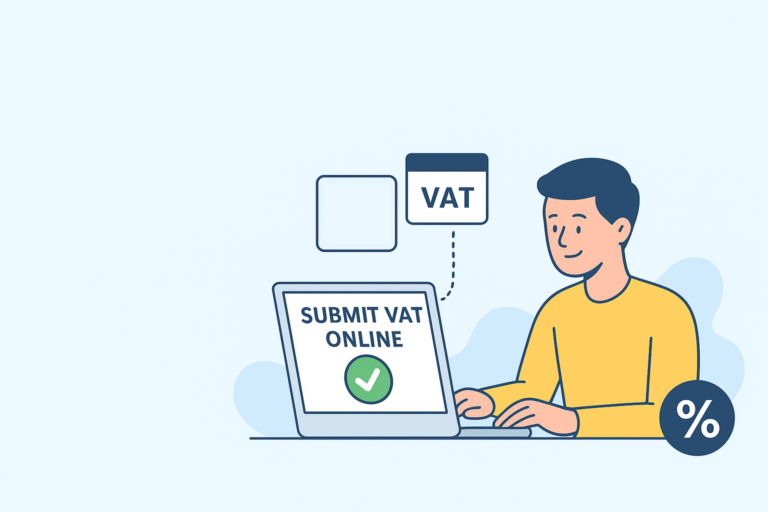
Complete accounting software has its place for growing teams, inventory management, payroll, and complex reporting. Many UK businesses do not need that. Common cases include:
- Small traders who maintain records in Excel
- Service providers who manually monitor invoices
- Dormant and seasonal businesses that submit returns only occasionally
- non-UK businesses with minimal VAT responsibilities in the UK
- Businesses that oversee several entities where individual subscriptions become costly
These users want a compliant link to HMRC without having to rebuild their record-keeping. A dedicated VAT submission tool becomes the most cost-effective choice.
How to submit VAT online without accounting software
You still keep your books in Excel, Google Sheets, CSVs, or any simple record format. MTD rules require digital links between your records and the numbers you submit. A bridging tool handles this layer. It maps your values, connects your file to HMRC, and pushes the return online.
A good tool lets you upload a spreadsheet, check the boxes, review your VAT summary, and submit. The entire workflow stays simple. You don’t need to import your complete business data or learn an extensive system.
Why bridging tools fit this search for VAT filing without accounting software
- Utilises Excel files that you already have
- No setup time
- No onboarding cost
- You don’t need to switch to a new platform for bookkeeping.
- Clear VAT fields mapped to your spreadsheet values
- Safe submission path to HMRC
- Low annual fee that avoids accounting software bundles
Key features to look for when you want to submit VAT online
Selecting the appropriate tool is crucial. Users can choose the right VAT filing tool for their specific needs with these features.
1. Excel to HMRC digital link
You can connect to Google Sheets or upload your spreadsheet. Your values correspond to the appropriate VAT fields. Your workflow remains unaltered as a result.
2. MTD-ready structure
The software needs to comply with HMRC’s Making Tax Digital guidelines. You need an authorised connection, an appropriate VAT return structure, and secure digital links.
3. Simple VAT summary check
Before submitting, you should ensure there is a clear breakdown. Net values, VAT due, VAT reclaimed, and the total amount payable must all be displayed on a single screen.
4. Option to manage multiple businesses
Some users file returns for multiple entities. Paying for various accounting subscriptions doesn’t add up. Using a single tool to manage multiple businesses is a clever way to save money.
5. Secure sign-in with HMRC
You sign in through official government authentication. There should be no middle layer that compromises security.
6. Clear audit trail
You must be able to download submission receipts and keep proof of each return.
7. No hidden charges
A transparent fixed plan works best for small teams.
Why submitting VAT online without accounting software saves money
A typical accounting suite might charge based on the business, the number of users, or specific features. On the other hand, bridging tools generally come with a straightforward fixed plan.
The savings are pretty clear-cut because you won’t have to worry about:
- Monthly or yearly accounting subscription fees
- Extra licenses for additional companies
- Upgrade costs
- Training expenses
- No complicated setup
For many small traders, even one annual VAT filing costs less than an extended subscription to a dedicated VAT tool.
Who benefits most from filing VAT online without software
The following categories save the most when they use a simple VAT filing tool instead of full software:
Small UK businesses
They’re looking to stay compliant while keeping their expenses in check. A lot of them rely on spreadsheets and need support for Making Tax Digital (MTD).
Freelancers and sole traders
They often do quarterly filings and prefer a minimal process.
Seasonal and dormant companies
These businesses do not need continuous accounting features.
Non-UK sellers
Foreign businesses with a UK VAT number only need a filing method, not a complete UK accounting system.
Companies managing multiple entities
One tool can handle all entities under a single login, making it budget-friendly.
Step-by-step process to submit VAT online without accounting software
The steps below reflect how users actually approach this task.
1. Prepare your spreadsheet
Keep your sales, purchases, VAT reclaim amounts, and VAT payable amounts well organised. It’s essential to use clear columns for your totals.
3. Map your values
You choose which cells match up with each VAT box, and this setup will be saved for your future returns.
4. Review your VAT summary
Take a moment to verify the figures for accuracy. Make sure the amounts you’ve reclaimed match the payable amounts in your records.
5. Sign in with HMRC
Use your Government Gateway credentials. This authenticates your return.
6. Submit the return
The tool sends it to HMRC and shows you a confirmation receipt.
7. Download the submission proof
This is now a part of your digital audit trail. The process is straightforward, and you won’t have to master an entire accounting platform.
Final Thoughts
Submitting VAT online without accounting software has become the easiest and cheapest option for many UK businesses. A good VAT filing tool lets you use the spreadsheets you already have and still meet all MTD rules. You stay in control, keep your workflow simple, and avoid paying for software you don’t need.
Disclaimer: Our blogs and articles are written to share general information only. If you’re looking for an easy way to submit your VAT under Making Tax Digital (MTD), SwiftVATPro offers a simple and reliable online solution.
Frequently Asked Questions:
Your Questions – Answered ,We’re here to help you with anything VAT-related.
1. Can I submit my VAT online without using full accounting software?
Yes, you can submit your VAT return online without buying expensive accounting software. Most businesses that keep records in Excel, Google Sheets or simple bookkeeping files prefer using an MTD bridging tool instead. A bridging tool connects your spreadsheet to HMRC, allowing you to file your return directly.
You don’t have to move your data into any new system or learn complicated features you don’t need. This method is fully compliant with Making Tax Digital and is now one of the most common choices for small businesses, sole traders and part-time sellers who want a quick, low-cost way to file.
You keep full control of your numbers, and you only pay for the tool you actually use. It’s straightforward, affordable and removes the need for a full accounting package.
2. Is bridging software HMRC compliant for MTD VAT submissions?
Yes, bridging software is HMRC recognised and entirely acceptable for MTD VAT submissions. HMRC allows any business to use a bridging tool as long as it keeps digital records and submits the return through software that supports the MTD VAT API. Many businesses choose bridging tools to stay compliant without changing their bookkeeping system or subscribing to a complete accounting package.
Bridging platforms send your nine VAT return boxes to HMRC via secure digital links, exactly as HMRC requires. You continue maintaining your figures in your spreadsheet, upload or map them into the bridging tool, and submit within a few clicks.
This approach meets all compliance rules and keeps your workflow simple. It’s a practical option for anyone who prefers spreadsheets or doesn’t need the full features of a complete accounting system.
3. Is a bridging tool cheaper than accounting software for VAT filing?
A bridging tool is usually the cheapest way to file VAT online, especially for small businesses with simple needs. Accounting software often charges a monthly subscription fee even if you only need it for VAT returns. Many tools also include features such as invoicing, inventory, and payroll, which some businesses never use.
A bridging tool focuses only on VAT filing, so you pay a smaller fee and avoid long-term commitments. You can continue using your spreadsheet system, which saves time and avoids the costs of training or migration.
Some businesses only file VAT quarterly, so a low-cost tool makes more sense than paying for full software every month. Overall, bridging software gives you the essential function you need, MTD compliance, at a fraction of the price, making it a smart choice for anyone who wants to control costs while still meeting all HMRC rules.
4. Who should use bridging software instead of accounting software?
Bridging software is ideal for businesses that already keep their records in spreadsheets and do not need the extra features of full accounting software. This includes small businesses, self-employed professionals, freelancers, online sellers, property owners and part-time traders who want a clean and affordable way to submit VAT
It is also suitable for businesses that rely on customised Excel templates or internal bookkeeping systems that do not integrate with large accounting platforms. Some users choose bridging tools to avoid the learning curve of new software, while others prefer spreadsheets for accuracy and control.
It is also helpful for accountants and bookkeepers who manage multiple clients with different record-keeping methods. Bridging tools provide flexibility and keep costs down while still meeting all MTD requirements.
5. Are spreadsheets still allowed for VAT returns under Making Tax Digital?
Yes, spreadsheets are allowed under Making Tax Digital, provided they are used with compliant bridging software. HMRC does not force businesses to abandon spreadsheets, but it requires digital links between your records and the VAT submission system. A bridging tool creates that digital link.
You continue to maintain your VAT data in Excel or Google Sheets, just as you always have. The bridging tool then reads your figures and sends them securely to HMRC. This makes it easy to stay compliant without changing the way you record sales and expenses.
Many businesses prefer spreadsheets because they are flexible, easy to customise and simple to use. MTD rules only restrict manual copying and pasting; they do not ban spreadsheets. With a bridging tool in place, your spreadsheet workflow remains valid and compliant for VAT submissions.