 Skip to content

VAT online software vs bridging tools – The smarter MTD choice for UK businesses
- No credit card required
Talk to our
VAT experts
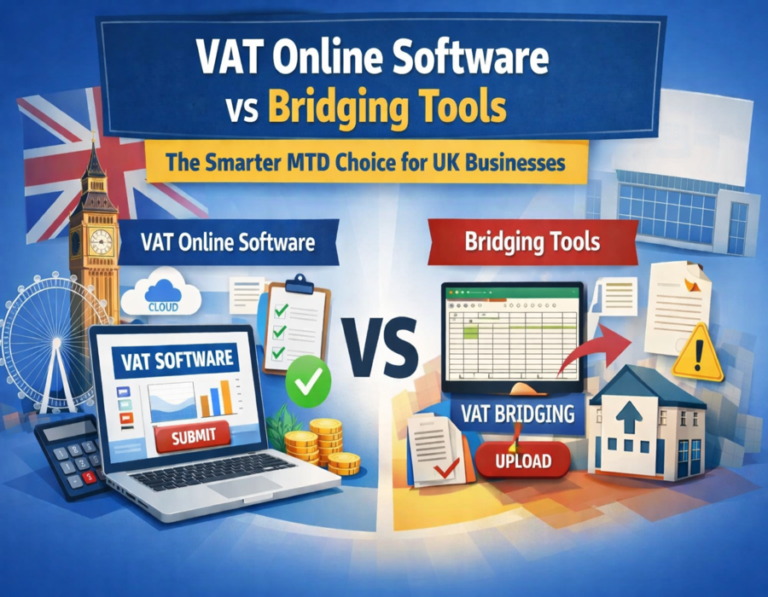
Digital VAT filing systems vs bridge software
- Full digital VAT filing systems pull data straight from your bank, sales platforms or accounting records. Before you submit, they check each figure against the rules and rates currently in effect.
- Bridge software is not the same. You keep your Excel sheets or basic records the same way you always do, then upload them to meet the MTD criteria. Both send your return to HMRC, but the way they work differentiates the work you have to do each quarter.
Full integrated VAT online Software explained
- These platforms let you keep track of all your transactions in one place. They immediately match purchases to sales and mark any missing VAT. The solution scales without requiring additional spreadsheets as a business hires more people or adds new product lines.
- You can see reports right away, so you know where you stand before the deadline. Most include direct links to common e-commerce sites, so imports happen in minutes, not days.
Bridging tools for VAT options explained
- Bridge applications sit between your current setup and the HMRC gateway. You fill your usual spreadsheet, then click a button to send the numbers through an API connection. This keeps costs down at first and works well for steady, low-volume work.
- But as the number of transactions increases, so do the steps of manual copying and pasting, and small typing mistakes happen more often.
Key Differences: VAT online software vs bridging tools
- VAT online software updates the software’s rules and rates, so you don’t have to check HMRC notices manually. When you use bridging tools, you have to update your own sheets first, which adds a step.
- Software commonly connects to payroll or inventory systems, whereas bridges connect only to the VAT return. Full platforms do more thorough error checks and keep copies of all past returns for rapid audits. Bridges provide you with basic confirmation, but you have to do the hard work.
Time & effort savings: MTD VAT software benefits for expanding teams
- A growing business that processes 200 invoices a month finds that software reduces filing time from 4 hours to less than 1 hour. The system does the rest when staff click a few buttons.
- Bridge customers still open their files, sort the data, and manually check the totals before uploading. When deadlines increase with other tasks like payroll or stock orders, that extra half hour every quarter adds up quickly.
Cost breakdown: VAT bridging tools vs full MTD VAT software
- Bridging tools cost very little each month or only once for basic versions. You save money up front, but you may need more help or add-ons as volume increases. Full VAT online software costs more per month; many versions include automated upgrades and support calls.
- Businesses that make more than $100,000 a year often think the increased charge is worth it because they don’t have to pay as many fines, and their accountants don’t have to do as much work.
Scalability when turnover climbs
- Businesses that want to increase their revenue in a year need software that can grow with them. You don’t need new spreadsheets to handle new VAT schemes or extra entities. It only takes a few minutes to add users or connect additional sales channels.
- Setting up a bridge can take a long time, but each new sales stream adds another sheet to track and another upload routine. Things get more complex as they grow, but full platforms can handle it without extra daily work.
Compliance risks and how each option handles them
- HMRC checks returns for consistent data and to quickly identify issues. Before submission, the software performs checks that catch most mistakes early. It also maintains a clear audit trail that links each input to its supporting documents.
- Bridge tools let the data through, but they don’t verify that it’s correct. If you miss a cell in a busy quarter, you may get an inquiry that takes days to resolve.
Data security and access for team members
- Growing teams share access across sales and finance roles. VAT online software has role-based logins and stores data in the cloud with regular backups. You decide who can view what, and the log changes automatically.
- Bridge software generally operates with files on your computer, so sharing them via email or shared drives can cause version conflicts and security vulnerabilities. Full systems in the cloud eliminate those worries and let employees work from anywhere.
Integration with other business tools
- Many UK businesses currently use Shopify, Amazon, or Xero. The full software collects live data from people without requiring them to export it. Reports are sent directly to your main accounts package.
- Bridge tools require you to export first and then import again, which means businesses testing new markets or adding suppliers have to handle twice as many processes. The smooth links save a lot of time every month.
Support and updates during rule changes
- Changes to HMRC VAT laws occur a few times a year. Software businesses make those updates available so that your next return is always up to date. Notes are available to users via the dashboard.
- Bridge users have to change their own templates or wait for the bridge maker to fix the problem. That delay can catch growing companies off guard, especially at the end of the quarter.
Final thoughts
- Growing UK businesses usually gain more from VAT online software than from bridging tools. Increased automation and streamlined processes reduce everyday work, giving salespeople more time and reducing the risk of penalties as the business grows.
- Bridges work well for extremely little, steady operations, but they don’t work as well when things get busy.
- Look at your figures and targets for the future, and then choose the option that fits where you’re going, not just where you are right now. The right option makes it easy to follow the rules and helps the business grow without adding stress.
Disclaimer: Our blogs and articles are written to share general information only. If you’re looking for an easy way to submit your VAT under Making Tax Digital (MTD), SwiftVATPro offers a simple and reliable online solution.

Frequently Asked Questions:
Your Questions – Answered ,We’re here to help you with anything VAT-related.
1. What's the main difference between VAT online software and bridging tools for MTD compliance?
VAT online software (also known as full integrated or MTD-compliant platforms) does everything in one place. It automatically pulls information from your bank, sales channels, or records, compares transactions, checks them against current HMRC guidelines, and sends your return immediately.
Bridging tools are easier to use because they connect your current Excel sheets or basic data to HMRC’s gateway. This lets you post summaries that follow MTD criteria. You still have to enter and check all the data in your spreadsheet. For growing firms, comprehensive software saves hours by handling the hard work and scaling as incoming invoices increase.
Bridging tools, on the other hand, keep costs low but need manual work. If your turnover is climbing and you’re adding sales platforms or team members, the extra automation in full software usually pays off quickly by reducing mistakes and wasted time.
2. How much time can growing businesses actually save by switching from bridging tools to full VAT online software?
In all honesty, quite often. The blog discusses a business that processes 200 invoices per month. With the program, they can file them in less than an hour instead of four hours by clicking a few buttons and letting it handle matching, checks, and submission.
You still have to open your file, sort the data, manually check the totals, and then upload it using bridging tools. This takes an extra half hour or more every quarter. When deadlines overlap with payroll, stock, or new sales channels, those saved hours add up quickly, especially as your team develops and more than one person works with the figures.
Many owners find the switch frees them to focus on actual business growth rather than quarterly VAT stress. It’s not overnight magic, but once set up, quarters feel smoother and less rushed.
3. Is bridging software still a good option for UK businesses that are growing in 2026?
It depends, but usually not for long if you’re scaling. If you have a steady, low-volume setup with fewer than 50 transactions each quarter, don’t plan on expanding, and enjoy your spreadsheets, bridging tools are a good choice. They are inexpensive (low monthly costs or one-time payments), easy to set up, and they let you stay MTD-compliant without changing your habits.
But as your business grows, new sales channels open up, or your team grows, the manual steps (updating sheets, copy-pasting, and other error-prone tasks) start to slow down. Full VAT online software works better because it can manage more entities, integrates with Shopify, Amazon, and Xero, automatically updates rules, and provides real-time reports.
Businesses that are growing frequently switch because bridges slow things down, leading to more mistakes, more time, and a higher risk of getting charged. It’s worth trying out the full software if you’re close to £85,000 or considering voluntary registration. Most people experience better cash flow and easier compliance right away.
4. What are the biggest compliance risks when using bridging tools as a business grows?
The biggest risk comes from using your own spreadsheets. HMRC expects data that is always correct and consistent. The full software performs extensive pre-submission checks and creates an automatic audit trail that links every number to its source documents. Bridging tools forward what you send, but they don’t verify that it’s proper.
VAT online software automatically sorts revenue and costs by property type (residential exempt, commercial at 20%, etc.), performs partial exemption calculations, retrieves bank data to avoid double-entry, and sends the information directly to HMRC via an API. You may see your taxable turnover, pending claims, and notifications on portfolio dashboards.
Audit trails stay ready for checks. It reduces mistakes, saves hours, and keeps you compliant without constant stress. For landlords juggling multiple units, it’s far more reliable than DIY tracking.
5. How do costs compare between bridging tools and full VAT online software over the first couple of years for a growing UK business?
Bridging tools are cheaper initially, with monthly prices of only £5-£15 or one-time payments for limited features. This means you save money upfront and don’t have to make major changes. But if your business expands, you might require add-ons, more help from an accountant to resolve issues, or face fines for mistakes.
Full VAT online software costs more (£15–50+/month, depending on features), but it includes auto-updates, support calls, integrations, and more thorough inspections that help lower those hidden expenses. Businesses that make more than £100,000 a year frequently find that the extra charge is worth it because it means fewer fines, less time spent on accounting, and more time to focus on sales.
Over two years, the “cheap” bridging route can end up costing more in lost hours and stress if growth hits hard. Many owners say that full software pays for itself through smoother operations and better cash-flow visibility. Run test trials to see what fits your setup.